


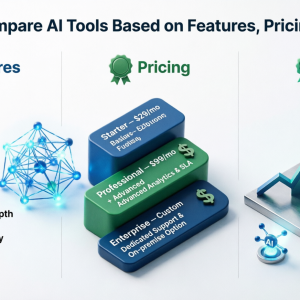
Two AI tools may look the same on a comparison table but produce vastly different results for your team: the one that saves an analyst ten hours a week versus the one lying half-used after the first month of installation. This discrepancy almost always emerges from a comparison methodology - feature checklists and price tags side-by-side make a neat comparison but overlook the fundamentals, which is that a good comparison is one that ties the tool's actions, costs and returns to the user's business.
Define the job before looking at tools
Most comparisons get this wrong at the start, by opening a list of available products before the requirements were laid out in writing. "We need an AI tool for customer support" provides too broad a foundation to evaluate anything. "We need to reduce first-response time on tier-one tickets without hiring two more agents" offers something precise to measure against.
Write out the task, who currently performs it, the time it takes and what the desired outcome is. Also consider the constraints: the systems a tool must integrate to, to what data it will have access, and who must approve the tool's use. This short brief will become your scorecard; without it, comparisons will be made according to the marketing fluff each tool chooses to present.
Comparing features without getting sucked in
Vendors battle it out with laundry lists that are hard to compare against each other. A less error-prone method is to group features into three categories: those you cannot work without, those that would be an obvious boon, and those that are interesting but ultimately unneeded. Evaluate each product against the first category before moving to the others.
The same applies to marketing-speak, where differences are hidden behind phrases like "AI-powered analytics" or "streamlined dashboard". Ask the vendors to demonstrate the feature on your own data, not a prepared demo. If the feature only exists in an add-on, an enhanced plan or a separate model, find this out before adding it to the feature set.
A few areas of interest may fall outside of the headline features:
- Does the tool integrate with the software you need it to, natively, or via a custom API?
- Can the output of the tool be reviewed, with errors corrected, or does it require full retraining to alter an outcome?
- Are admin-level permissions available, including auditing and reporting tools? Will these scale across dozens of users?
- Does your data remain in your control or is it shared? How does the vendor distinguish between storing, sharing and using your data to train or improve existing models?
Browse a directory for the shortlist: the Top 10 AI Tools Marketplaces offers a way to view what platforms list the kind of tool you are looking for, and how each one presents its products, which will be useful before wading into individual vendor comparisons.
Pricing is more than the number on the page
The subscription price is the easiest to identify, and also the most misleading. AI tools bill in several formats: per user per month, usage-based (tokens, documents processed or API calls), outcome-based or a flat fee for a platform with tiers of service.
Compare a team of 15 considering two writing assistants. One bills strictly by the seat while the other charges a lower price per seat but includes a usage surcharge beyond a specified allowance. As light users, the second tool is cheaper. But if the team ends up using the tool frequently on average, the surcharge may rapidly surpass the first tool's per-seat price. The only way to know is to estimate your own usage and run the numbers for both.
Also consider what the vendor considers outside the price:
- Implementation or on boarding fees
- Additional costs for environments or integrations
- Support tiers (some vendors offer faster response only on higher plans)
- Minimum contract lengths and renewal terms
- Price increases upon renewal
Request a written estimate from the vendors based on your predicted usage and ask whether there are caps or alerts to prevent excessive costs. Pricing and availability can also vary by region and method of sale, so to view a vendor's US-focused listings and see how availability and terms are stated, the page to Buy AI Software in the US is one place to begin.
Building a realistic total cost
Add to the vendor's listed price whatever the tool will cost your team to run. The time spent setting up and training the tool is a direct cost, as is the time spent reviewing, maintaining prompts or workflows, and managing the vendor relationship. If the tool's integration requires a developer to maintain, this cost falls into this category.
A rough estimate for the year could include the subscription or usage fee, the cost of setup, the labor for implementation and administration, and any cost for switching away. The estimates will be imperfect but necessary in order to weigh the tools on a consistent footing.
Estimating ROI without losing yourself
Return on investment is where many comparisons turn into wishful thinking. A vendor may advertise the time saved according to their customers' usage, but the tool's true value lies in what it saves your team, and your team's own constraints and use patterns.
Build a baseline of your usage: how long does the job take, how often is it performed, and what is this costing you? If a tool reduces the time spent, run the trial with a small team to see how much time is truly saved versus how much is lost in correcting errors. A tool that takes two minutes to draft a report but requires thirty minutes of correction is unlikely to justify itself.
Consider the intangible advantages beyond hours spent: faster outcomes, fewer errors, more consistent results and the ability to scale without additional hiring, for example. List these out, but distinguish them from the concrete advantages you can measure. If a tool only begins to pay for itself when you include the speculative advantages, this is a red flag.
Decide, before beginning the comparison process, what your expectations for payback time are and what might convince you to cancel a tool. A tool that pays for itself within a year may present few risks, whereas one that requires three years of intense use before breaking even carries a different degree of risk.
Running a fair side-by-side test
Scoring on paper is not always enough, so test your top two or three vendors under the same conditions. Use the same sample tasks, the same users and the same time frame. Ask those who will be using the tool to use it daily and note the speed, accuracy, ease of use and the amount of correction needed.
Should your favorite fall by the wayside, having a comparison to refer to saves time. A list of Exomatter Alternatives, for example, lays out the competition for a single tool so that the advantages and drawbacks are visible at a glance.
Making the decision
Weigh the criteria before looking at the results and making the choice based on which tool performed best in isolation. Score each candidate on must-have features, total cost, results from a pilot and the terms from the vendors, and look at where the scores overlap and diverge.
A practical exercise: take the one-page brief you wrote at the start, build a scoring table from it, and test two tools against it with real work this month. The results from the pilot will be more useful than any other comparison.